
Bulk Purchase or Wholesale?
Tell us about your order and get amazing discounts Contact Sales
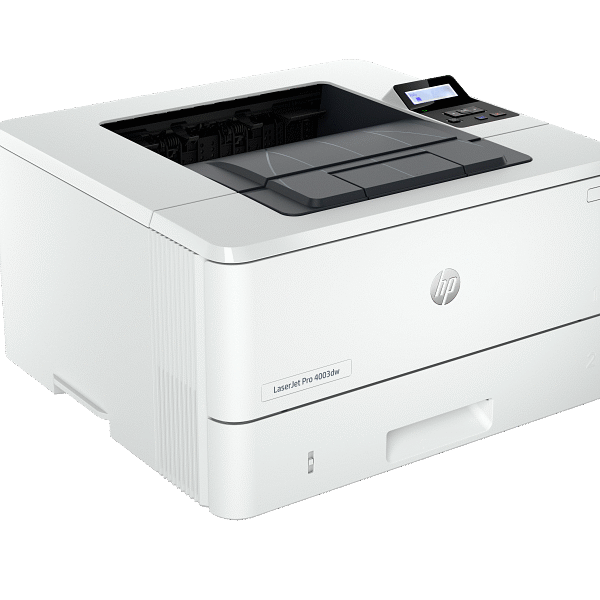
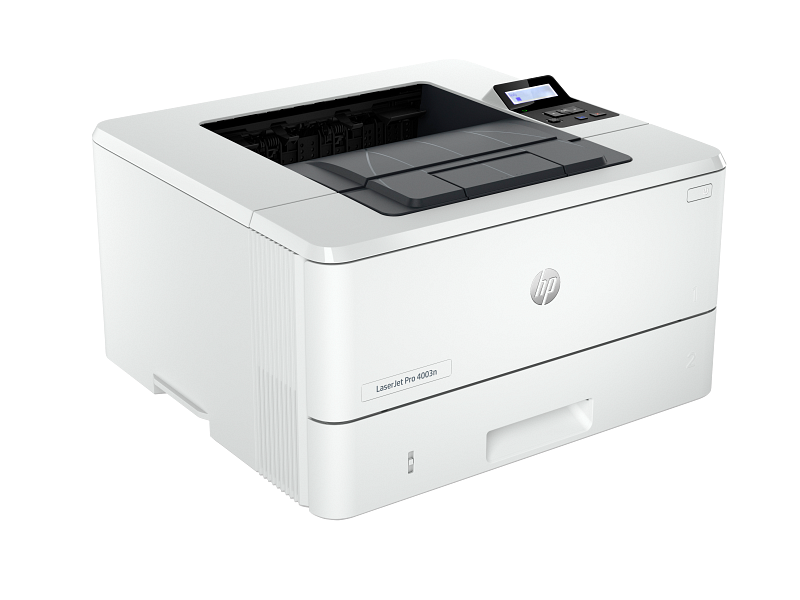
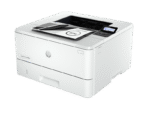
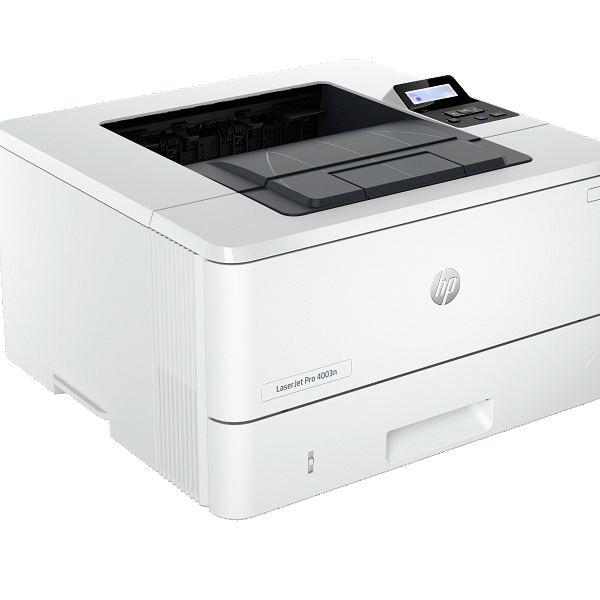
Experience fast, reliable, and secure printing with the HP LaserJet Pro 4003n. This high-performance mono laser printer delivers up to 42 pages per minute, sharp 1200 × 1200 dpi output, and seamless Ethernet connectivity — perfect for small and medium businesses that value speed, efficiency, and professional results.
₦437,000 Original price was: ₦437,000.₦364,800Current price is: ₦364,800.
Shipping Information
Delivery Coverage: We deliver to all locations across Nigeria, including Lagos, Abuja, Port Harcourt, Kano, Ibadan, and other major cities.
Processing Time: Orders are processed within 1-2 business days (Monday-Saturday, excluding public holidays).
Delivery Timeline:
- Lagos & Abuja: 1-3 business days
- Other major cities: 2-5 business days
- Remote areas: 3-7 business days
Shipping Costs: Calculated at checkout based on location, weight, and order value. Free shipping available on orders above ₦100,000.
Order Tracking: Track your order status via email updates and SMS notifications.
Return Policy
30-Day Return Window: Items can be returned within 30 days of delivery for a full refund or exchange.
Eligibility Requirements:
- Product must be unused and in original condition
- All original packaging, accessories, and documentation must be included
- Product seals and tags must be intact
- Proof of purchase (receipt or invoice) required
Non-Returnable Items:
- Software, downloadable products, or opened software packages
- Consumables (ink cartridges, toner after opening)
- Products showing signs of use or damage
- Clearance or final sale items
Return Process:
- Contact customer service at info@itwarehouse.ng or 0803 047 9764
- Provide order number and reason for return
- Receive return authorization and shipping instructions
- Ship item back (customer covers return shipping unless item is defective)
- Refund processed within 5-7 business days after inspection
Exchanges: Available for defective items or incorrect orders at no additional cost.
Warranty Policy
Warranty Period: All products sold by ITWarehouse come with a 30-day warranty from date of delivery.
What's Covered:
- Manufacturing defects and workmanship issues
- Component failures under normal use conditions
- Software malfunctions (for items with pre-installed software)
- Hardware performance issues not caused by user damage
What's NOT Covered:
- Physical damage from drops, spills, or accidents
- Unauthorized modifications or repairs
- Damage from misuse, neglect, or improper installation
- Normal wear and tear (scratches, cosmetic issues)
- Damage from power surges (unless surge protection was included)
- Loss or theft of product
Extended Manufacturer Warranty
Many products include additional manufacturer warranties (6 months to 2 years). Original manufacturer warranty cards and documentation are provided with qualifying products.
Warranty Claim Process
- Contact Us: Email info@itwarehouse.ng with order number and issue description
- Provide Details: Include photos/videos of the defect and proof of purchase
- Diagnosis: Our technical team will assess the issue
- Resolution: Repair, replacement, or refund (determined case-by-case)
- Turnaround: Most warranty claims resolved within 7-14 business days
Important: Warranty does not cover shipping costs for returns unless the defect occurred during initial delivery.
Product Care & Maintenance
General Electronics Care
Storage & Environment:
- Keep devices in cool, dry places (away from direct sunlight and moisture)
- Avoid extreme temperatures (below 0°C or above 35°C)
- Store in dust-free environments when possible
- Use protective cases or covers for portable devices
Power Management:
- Use genuine chargers and power adapters
- Unplug devices during thunderstorms or power surges
- Avoid overcharging batteries (disconnect when fully charged)
- Use surge protectors for valuable equipment
Cleaning Guidelines:
- Power off devices before cleaning
- Use soft, lint-free microfiber cloths
- For screens: Use screen-specific cleaning solutions (no harsh chemicals)
- For keyboards: Use compressed air to remove debris
- Never spray liquids directly onto devices
Specific Product Care
Laptops & Computers:
- Clean air vents regularly to prevent overheating
- Avoid eating or drinking near devices
- Update software and drivers regularly
- Perform regular backups of important data
- Shut down properly (avoid forced shutdowns)
Smartphones & Tablets:
- Use screen protectors and protective cases
- Avoid exposing to liquids
- Keep charging ports clean and debris-free
- Update operating system when prompted
- Manage storage space (keep at least 15% free)
Printers:
- Use recommended paper types and weights
- Clean print heads monthly
- Keep printer firmware updated
- Store in dust-free environment
- Use genuine or compatible ink/toner cartridges
Networking Equipment (Routers, Switches):
- Ensure proper ventilation (don't stack devices)
- Place in central location for optimal coverage
- Reboot monthly to clear cache
- Update firmware for security and performance
- Keep away from water sources
Gaming Consoles:
- Ensure adequate ventilation during use
- Clean disc drives regularly
- Keep software/firmware updated
- Avoid moving while discs are running
- Store games in cases when not in use
Audio Devices (Speakers, Headphones):
- Avoid maximum volume for extended periods
- Store headphones properly (avoid tangling cables)
- Keep away from moisture
- Clean ear pads regularly with mild solution
- Disconnect when not in use to conserve battery
Battery Care (All Devices)
- Avoid complete battery drain (charge between 20-80% for longevity)
- Remove from charger when fully charged
- Use device regularly if storing long-term (charge every 3 months)
- Keep batteries at room temperature
- Replace swollen or damaged batteries immediately
Data Protection
- Back up important files regularly (cloud or external drive)
- Install reputable antivirus software
- Enable automatic updates for security patches
- Use strong passwords and enable two-factor authentication
- Encrypt sensitive data
Product Details
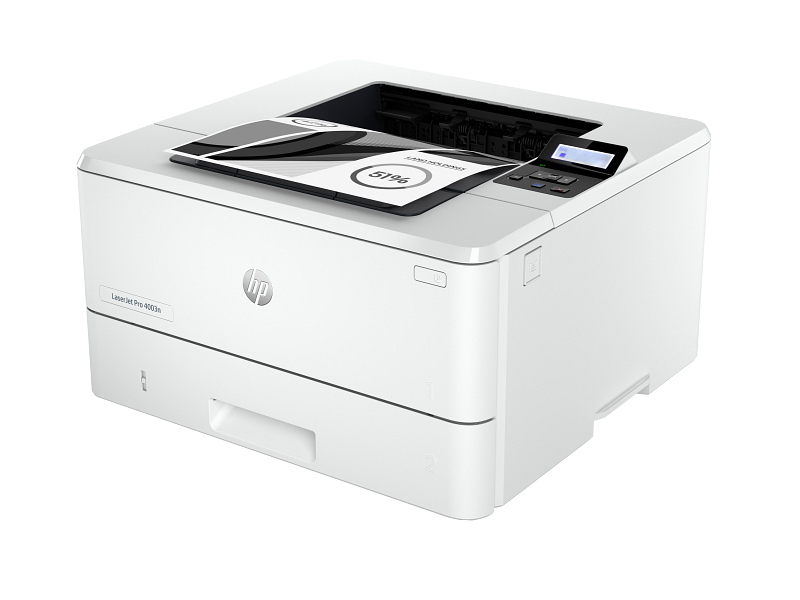
🖨️ HP LaserJet Pro 4003n Printer
Boost your office productivity with the HP LaserJet Pro 4003n Printer — a reliable, high-speed monochrome laser printer designed for small and medium-sized businesses that need efficiency, quality, and secure printing. With lightning-fast print speeds and robust performance, it’s built to handle daily workloads effortlessly while keeping your documents crisp and professional.
⚙️ Key Features & Specifications
-
Printing Technology: Laser (Monochrome)
-
Functions: Print only
-
Print Speed: Up to 42 pages per minute (ppm) for fast, efficient printing
-
First Page Out: As fast as 6.3 seconds
-
Print Resolution: Up to 1200 × 1200 dpi for sharp, detailed documents
-
Processor Speed: 1.2 GHz
-
Memory: 256 MB
-
Monthly Duty Cycle: Up to 80,000 pages
-
Recommended Monthly Volume: 750 – 4,000 pages — ideal for small and growing teams
-
Paper Handling:
-
250-sheet input tray
-
100-sheet multipurpose tray
-
150-sheet output bin
-
-
Supported Media Sizes: A4, A5, A6, B5 (JIS), envelopes (DL, C5, B5)
-
Supported Media Types: Plain, Bond, Eco-efficient, Labels, Cardstock, Envelopes
-
Connectivity Options:
-
Gigabit Ethernet for seamless office network integration
-
Hi-Speed USB 2.0 for direct printing
-
-
Mobile Printing Compatibility: HP Smart App, Apple AirPrint™, Mopria™
-
Operating Systems: Windows, macOS, Linux
-
Display: 2-line backlit LCD for easy navigation
-
Dimensions (W × D × H): 381 × 357 × 216 mm
-
Weight: 8.56 kg
-
Toner Cartridge: HP 149A (Black), optional high-yield HP 149X cartridge for lower cost per page
-
Security: Built-in features such as Secure Boot, Firmware Integrity Checking, and Runtime Code Integrity
-
Energy Efficiency: ENERGY STAR® certified with HP Auto-On/Auto-Off technology
💡 Why Choose the HP LaserJet Pro 4003n
-
Designed for fast-paced business environments that need quick and reliable printing.
-
Produces professional-quality black-and-white prints every time.
-
Secure printing features protect your data and device from unauthorized access.
-
Low energy consumption and long-lasting performance reduce operating costs.
-
Simple setup and easy management through the HP Smart App or web interface.