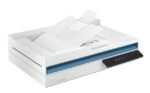
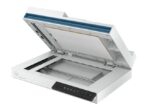
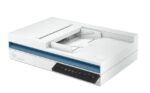
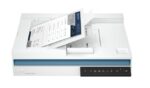
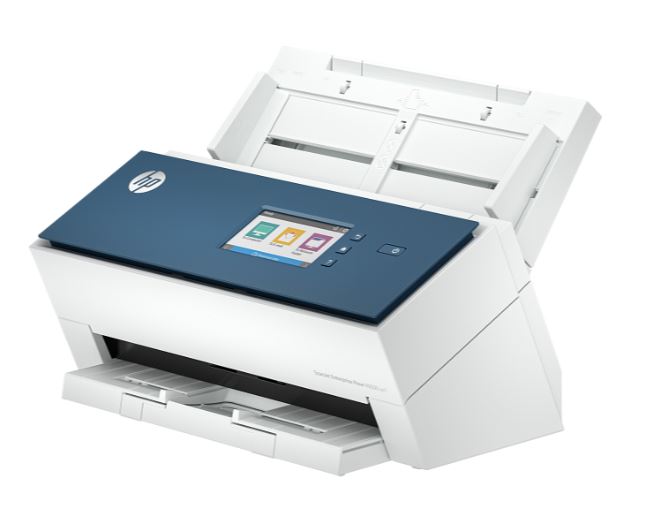
HP ScanJet Pro 2600 f1 Flatbed Document Scanner (20G05A)

Bulk Purchase or Wholesale?

Tell us about your order and get amazing discounts Contact Sales

HP ScanJet Pro 2600 f1 flatbed document scanner with 60-sheet ADF, duplex scanning, up to 600 dpi optical resolution, and colour, grayscale, and black-and-white scanning. Ideal for offices, SMEs, and everyday document digitisation.

445,500

Add 1,500,000 to cart and get free delivery within Lagos.
Shipping and Returns

Shipping Information

Delivery Coverage: We deliver to all locations across Nigeria, including Lagos, Abuja, Port Harcourt, Kano, Ibadan, and other major cities.

Processing Time: Orders are processed within 1-2 business days (Monday-Saturday, excluding public holidays).

Delivery Timeline:

  • Lagos & Abuja: 1-3 business days
  • Other major cities: 2-5 business days
  • Remote areas: 3-7 business days

Shipping Costs: Calculated at checkout based on location, weight, and order value. Free shipping available on orders above ₦100,000.

Order Tracking: Track your order status via email updates and SMS notifications.

Return Policy

30-Day Return Window: Items can be returned within 30 days of delivery for a full refund or exchange.

Eligibility Requirements:

  • Product must be unused and in original condition
  • All original packaging, accessories, and documentation must be included
  • Product seals and tags must be intact
  • Proof of purchase (receipt or invoice) required

Non-Returnable Items:

  • Software, downloadable products, or opened software packages
  • Consumables (ink cartridges, toner after opening)
  • Products showing signs of use or damage
  • Clearance or final sale items

Return Process:

  1. Contact customer service at info@itwarehouse.ng or 0803 047 9764
  2. Provide order number and reason for return
  3. Receive return authorization and shipping instructions
  4. Ship item back (customer covers return shipping unless item is defective)
  5. Refund processed within 5-7 business days after inspection

Exchanges: Available for defective items or incorrect orders at no additional cost.

Warranty Policy

Warranty Policy

Warranty Period: All products sold by ITWarehouse come with a 30-day warranty from date of delivery.

What's Covered:

  • Manufacturing defects and workmanship issues
  • Component failures under normal use conditions
  • Software malfunctions (for items with pre-installed software)
  • Hardware performance issues not caused by user damage

What's NOT Covered:

  • Physical damage from drops, spills, or accidents
  • Unauthorized modifications or repairs
  • Damage from misuse, neglect, or improper installation
  • Normal wear and tear (scratches, cosmetic issues)
  • Damage from power surges (unless surge protection was included)
  • Loss or theft of product

Extended Manufacturer Warranty

Many products include additional manufacturer warranties (6 months to 2 years). Original manufacturer warranty cards and documentation are provided with qualifying products.

Warranty Claim Process

  1. Contact Us: Email info@itwarehouse.ng with order number and issue description
  2. Provide Details: Include photos/videos of the defect and proof of purchase
  3. Diagnosis: Our technical team will assess the issue
  4. Resolution: Repair, replacement, or refund (determined case-by-case)
  5. Turnaround: Most warranty claims resolved within 7-14 business days

Important: Warranty does not cover shipping costs for returns unless the defect occurred during initial delivery.

Product Care

Product Care & Maintenance

General Electronics Care

Storage & Environment:

  • Keep devices in cool, dry places (away from direct sunlight and moisture)
  • Avoid extreme temperatures (below 0°C or above 35°C)
  • Store in dust-free environments when possible
  • Use protective cases or covers for portable devices

Power Management:

  • Use genuine chargers and power adapters
  • Unplug devices during thunderstorms or power surges
  • Avoid overcharging batteries (disconnect when fully charged)
  • Use surge protectors for valuable equipment

Cleaning Guidelines:

  • Power off devices before cleaning
  • Use soft, lint-free microfiber cloths
  • For screens: Use screen-specific cleaning solutions (no harsh chemicals)
  • For keyboards: Use compressed air to remove debris
  • Never spray liquids directly onto devices

Specific Product Care

Laptops & Computers:

  • Clean air vents regularly to prevent overheating
  • Avoid eating or drinking near devices
  • Update software and drivers regularly
  • Perform regular backups of important data
  • Shut down properly (avoid forced shutdowns)

Smartphones & Tablets:

  • Use screen protectors and protective cases
  • Avoid exposing to liquids
  • Keep charging ports clean and debris-free
  • Update operating system when prompted
  • Manage storage space (keep at least 15% free)

Printers:

  • Use recommended paper types and weights
  • Clean print heads monthly
  • Keep printer firmware updated
  • Store in dust-free environment
  • Use genuine or compatible ink/toner cartridges

Networking Equipment (Routers, Switches):

  • Ensure proper ventilation (don't stack devices)
  • Place in central location for optimal coverage
  • Reboot monthly to clear cache
  • Update firmware for security and performance
  • Keep away from water sources

Gaming Consoles:

  • Ensure adequate ventilation during use
  • Clean disc drives regularly
  • Keep software/firmware updated
  • Avoid moving while discs are running
  • Store games in cases when not in use

Audio Devices (Speakers, Headphones):

  • Avoid maximum volume for extended periods
  • Store headphones properly (avoid tangling cables)
  • Keep away from moisture
  • Clean ear pads regularly with mild solution
  • Disconnect when not in use to conserve battery

Battery Care (All Devices)

  • Avoid complete battery drain (charge between 20-80% for longevity)
  • Remove from charger when fully charged
  • Use device regularly if storing long-term (charge every 3 months)
  • Keep batteries at room temperature
  • Replace swollen or damaged batteries immediately

Data Protection

  • Back up important files regularly (cloud or external drive)
  • Install reputable antivirus software
  • Enable automatic updates for security patches
  • Use strong passwords and enable two-factor authentication
  • Encrypt sensitive data

Product Details

HP ScanJet Pro 2600 f1 Flatbed Document Scanner

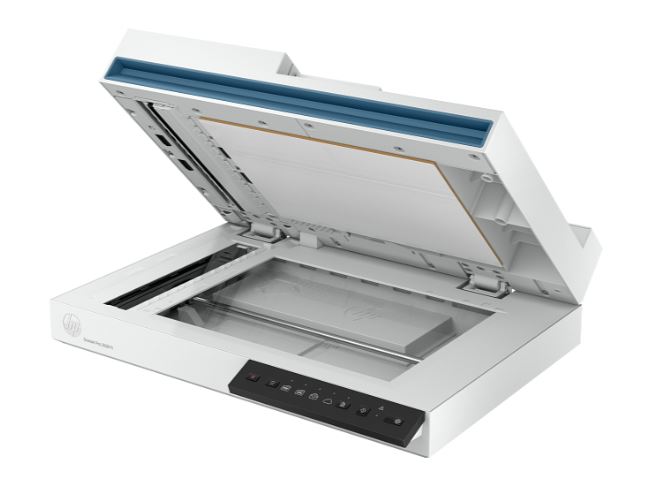
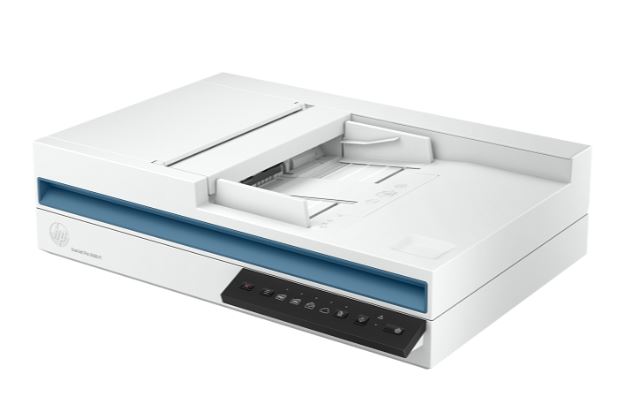
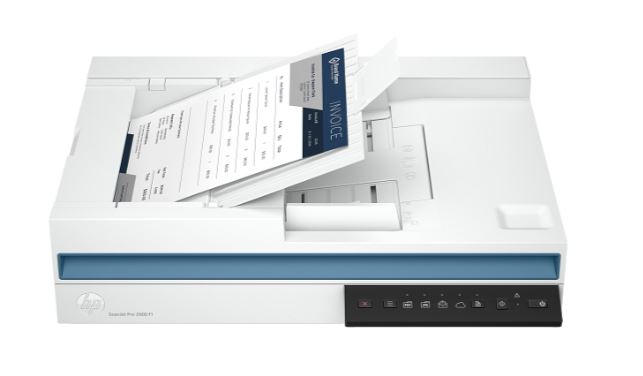
The HP ScanJet Pro 2600 f1 is a versatile document scanner designed for small and medium-sized businesses, offices, and professional users. It combines a flatbed scanner with an automatic document feeder (ADF), making it suitable for scanning individual documents, photographs, books, and multi-page documents efficiently.

It delivers reliable colour and monochrome scanning and is well suited for everyday document digitisation, archiving, copying, and records management.

Key Features

  • Brand: HP
  • Model: ScanJet Pro 2600 f1
  • Part Number: 20G05A
  • Scanner Type: Flatbed Document Scanner
  • Automatic Document Feeder: Yes
  • ADF Capacity: Up to 60 sheets
  • Scanning: Colour, Grayscale & Black/White
  • Duplex Scanning: Yes
  • Optical Resolution: Up to 600 dpi
  • Maximum Scan Size: Up to A4/Letter
  • Scan Technology: CIS
  • Daily Duty Cycle: Up to 1,500 pages
  • Connectivity: USB
  • OCR: Supported
  • Control Panel: Buttons for easy scanning
  • Compatible Documents: Documents, photos, receipts, forms and cards

Flatbed & Automatic Document Feeder

The ScanJet Pro 2600 f1 combines two scanning methods in one device.

The flatbed scanner is ideal for delicate documents, photographs, books, certificates, and other materials that should not be fed through an automatic feeder.

The 60-sheet Automatic Document Feeder (ADF) allows users to scan multiple pages conveniently, making it suitable for invoices, contracts, forms, reports, and other multi-page documents.

Duplex Scanning

The scanner supports two-sided scanning, allowing both sides of a document to be captured efficiently. This is particularly useful for double-sided business documents and helps reduce the time required for large scanning jobs.

High-Quality Scanning

With an optical resolution of up to 600 dpi, the ScanJet Pro 2600 f1 can produce clear and detailed digital copies of documents and images.

It supports colour, grayscale, and black-and-white scanning, making it suitable for a wide range of business and personal applications.

Reliable Daily Productivity

With a recommended daily duty cycle of up to 1,500 pages, the scanner is designed to handle regular document scanning requirements in busy offices without being intended as an extreme-volume production scanner.

OCR & Document Management

The scanner supports Optical Character Recognition (OCR) through compatible software, allowing scanned documents to be converted into searchable digital files.

This is useful for organisations looking to reduce physical paperwork and improve document storage, retrieval, and sharing.

Ideal For

  • Small and medium-sized businesses
  • Corporate offices
  • Schools
  • Accounting departments
  • Administrative offices
  • Legal firms
  • Banks and financial offices
  • Home offices
  • Document archiving
  • Invoice and receipt scanning
  • Contract digitisation

What’s in the Box

  • HP ScanJet Pro 2600 f1 Scanner
  • Automatic Document Feeder
  • Power Adapter
  • Power Cable
  • USB Cable
  • Setup Documentation
  • User Guide
  • Warranty Documentation

Warranty

HP 1 Year Warranty

Customer Reviews

Customer Reviews